Inside the appliance
Washer water inlet valve and screens. In plain English.
The Maytag washer water inlet valve is where the hot and cold hoses connect. Its screens can clog with mineral build-up or debris and slow the fill. F8 E1 and the Wash light both send you to those screens first, on the back of the valve, with the water off.
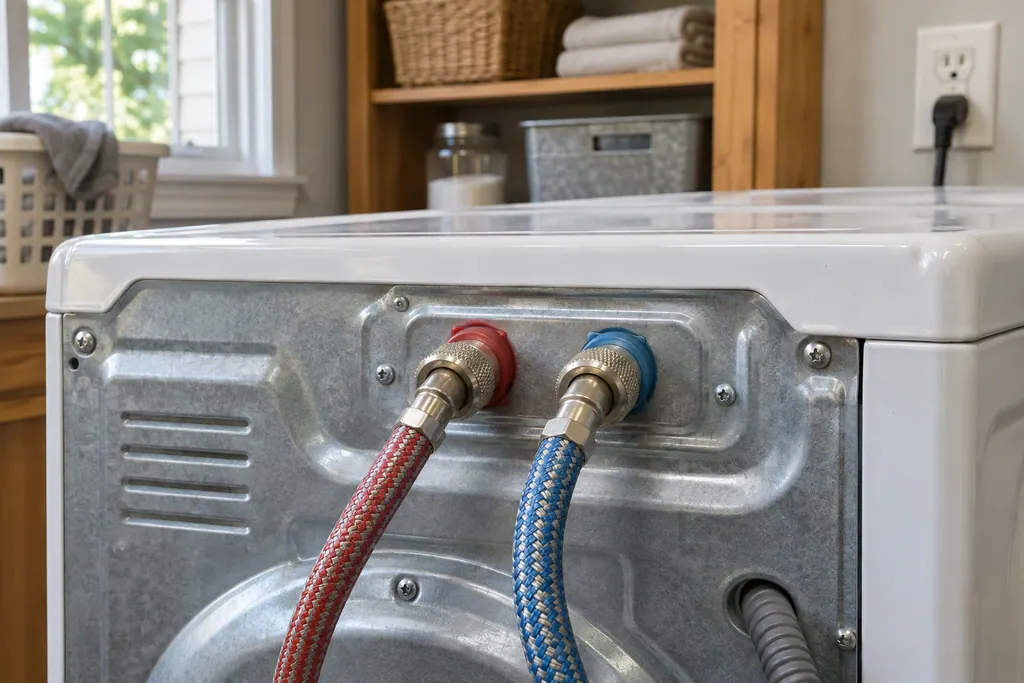
Where it fits.
Washer water inlet valve and screens in the appliance
The back of the washer, where the hot and cold hoses connect. Product Help says to check the screens on the back of the valve.
This image is an example of the component type. It will not tell you which replacement is right for your model.
How you can tell this system is asking for attention.
Washer water inlet valve and screens trouble can show up along with weaker performance or a code that keeps coming back. It takes testing to say whether this component is the reason.
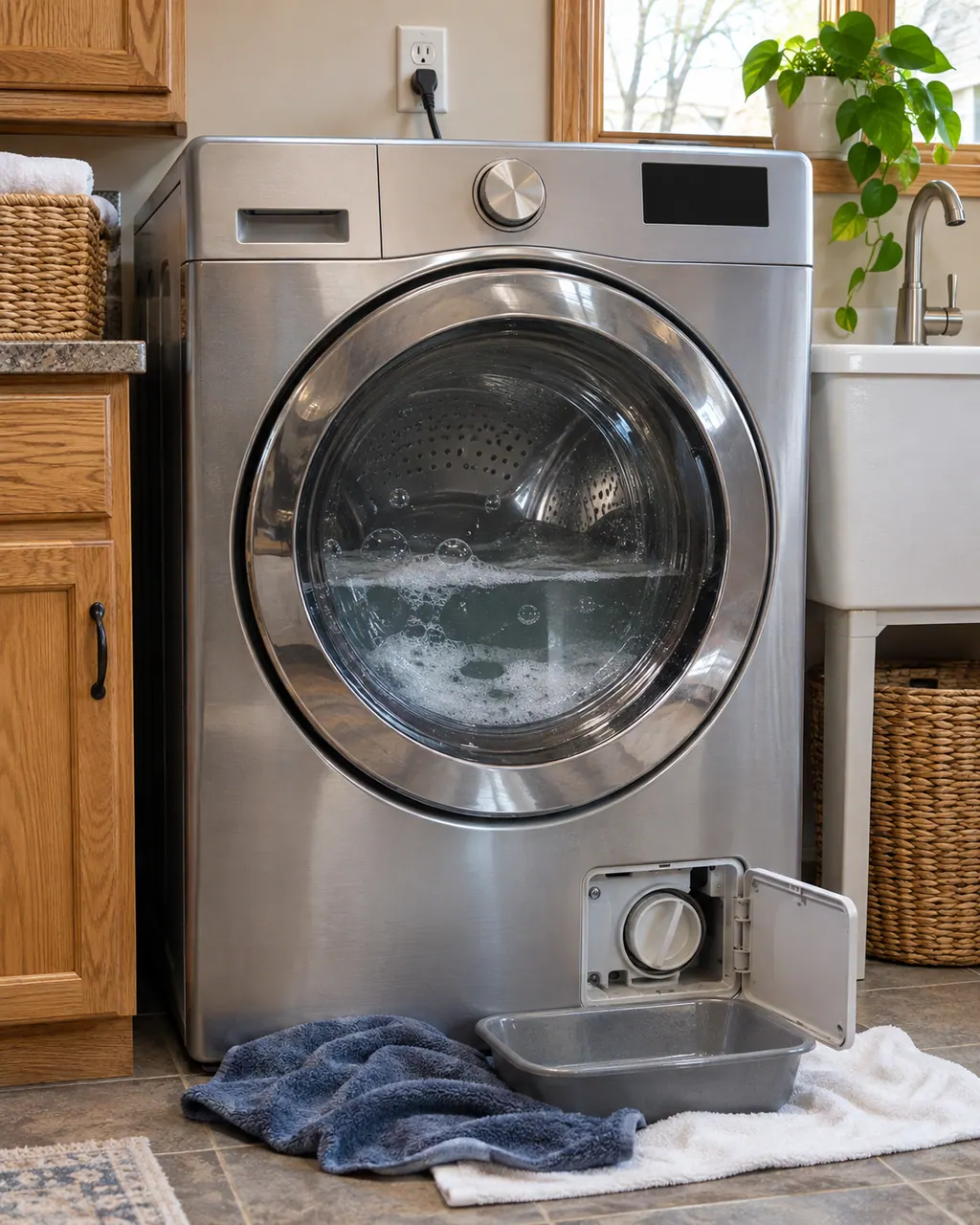
Maytag washer not draining
A Maytag washer that leaves water in the tub usually points to the drain setup before the machine itself: a hose pushed too far into the standpipe, a standpipe under 30 inches, tape sealing the hose, or a clogged drain pump filter. Check those first; if water still stays, book a technician.
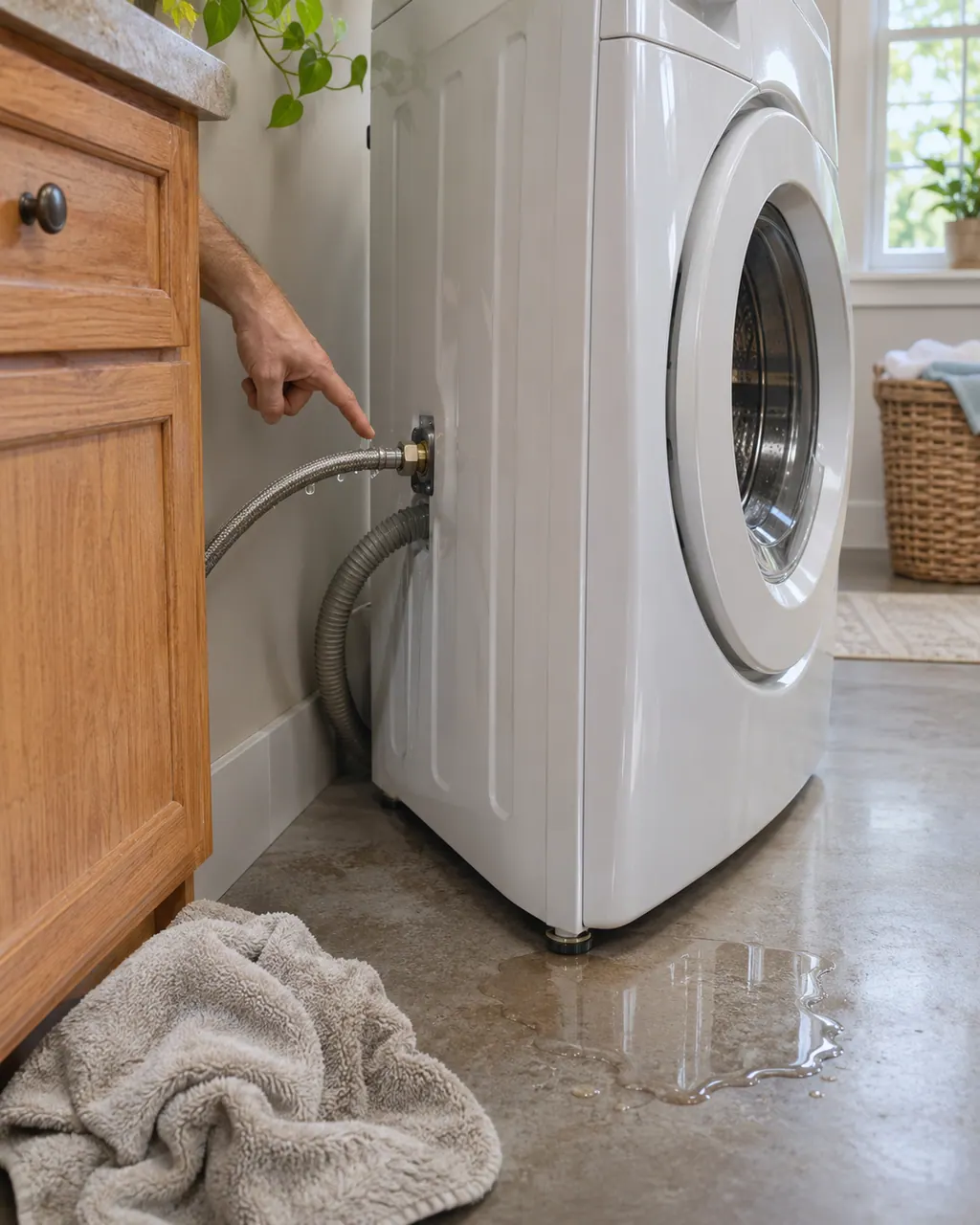
Maytag washer leaking water
Where the puddle sits tells you where to look. Water under a Maytag washer most often comes from a loose inlet hose connection, a backed-up household drain, or a cracked hose. Tighten and inspect those first. If the washer is dry at the hoses and still leaks, book a technician.
Owner care, within the model instructions.
Power the machine down and pull the plug ahead of any check you make yourself. Beware of pooled water and sharp bits of debris. Never handle a wet plug or electrical parts, take off a service panel or go beyond what your model’s owner guide permits.
- 1
Open both valves
Hot and cold faucets must be fully open and both hoses connected. Hot goes to the red valve and cold to the blue.
- 2
Look for kinks
A kinked inlet hose restricts flow. Straighten it.
- 3
Clean the inlet screens
Turn the water off, remove the hoses over a bucket, and look at the screens on the back of the valve. Clean them in place with a brush, mild soap and water.
- 4
Test each hose
With the hoses off, run water through them at a sink. If the stream is restricted, Product Help says to replace the hose.
- 5
Skip flood-safe devices
Product Help says anti-flood devices can reduce pressure. Connect the washer directly to the supply.
Cleaning or replacement?
Leave internal testing to a technician.
Fill stays slow or F8 E1 returns after clean screens and open faucets.
Water drips from the valve or hoses after you reinstall them.
You cannot reach or turn the hose fittings.
Arrange a diagnostic
Sources and model boundaries.
These sources stand behind the Washer water inlet valve and screens advice. Read the manual for your own model.
- F8E1 - Error Code - Product Help | Maytag
- Wash Light On or Flashing - Product Help | Maytag
- F8E6 - Error Code - Product Help | Maytag
Follow the guide for your own model, and see how we research these pages.
Where are the inlet screens on a Maytag washer?
On the back of the water inlet valve, where the hoses attach. Turn the water off and remove the hoses to see them.
How do I clean them?
Product Help says to clean clogged screens with a brush, such as an old toothbrush, plus mild soap and water, without removing the screen.
What does F8 E1 mean?
The washer is not detecting the correct amount of incoming water. Check the faucets, hoses, inlet screens and drain hose.
Do hot and cold hoses matter?
Yes. Hot (red) goes to the hot (red) valve and cold (blue) to the cold (blue) valve. Both must be connected.
Is the valve itself something I can replace?
Product Help gives no replacement steps. Cleaning the screens is the owner step; for the valve, book a technician.
Maytag codes, symptoms, parts and service
From the message to what you do next.
F8E1
On a front-load washer, the entry for F8E1 says “The F8 E1 or Lo FL error code means your washer is not detecting the correct amount of incoming water.” Maytag prints no reset for it; if it keeps appearing, schedule a visit.
Maytag washer not draining
A Maytag washer that leaves water in the tub usually points to the drain setup before the machine itself: a hose pushed too far into the standpipe, a standpipe under 30 inches, tape sealing the hose, or a clogged drain pump filter. Check those first; if water still stays, book a technician.
Washer repair
Book a diagnostic for your model, done at the machine.
Find your metro
Office details, and the entry information to pass along.